
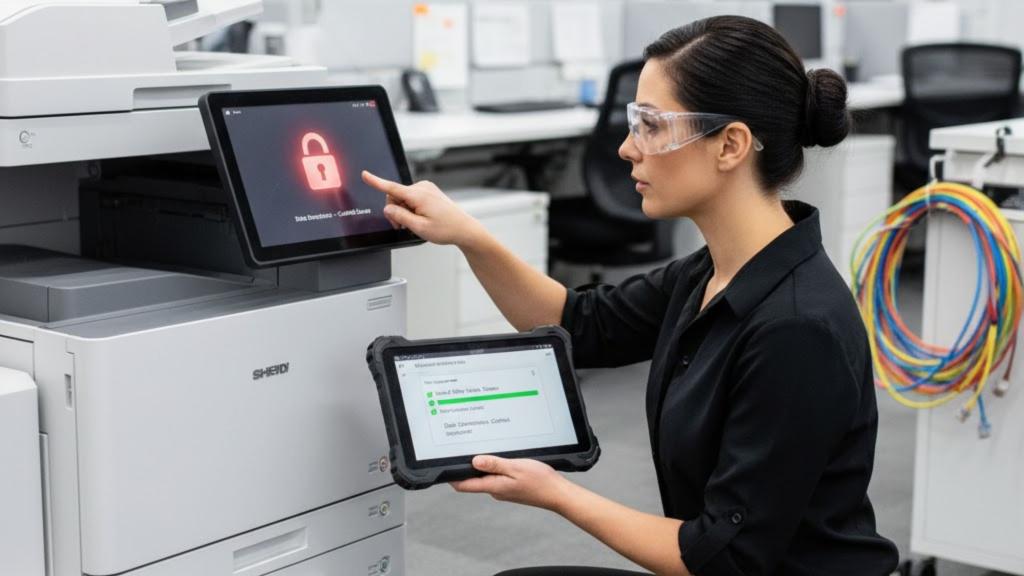
Protecting the data on your office copiers and multifunction printers (MFPs) isn’t just an IT issue anymore—it’s a real business risk. Every time someone scans, copies, or prints a document, that information can be stored on an internal hard drive. If you’re not thinking about copier hard drive security, you could be leaving confidential data behind on a device that might later be returned, resold, or recycled. That’s why certified data wipe and secure processes matter so much, and why a trusted partner like Carolina Business Technologies, Inc. should be part of your security plan.
Why MFPs Are a Hidden Data Risk
Most modern MFPs are basically specialized computers with storage, operating systems, and network connections. They often store:
-
Copies of printed documents
-
Scanned files
-
Fax images
-
Address books and user credentials
-
Network configuration data
This means your MFP could be quietly holding:
-
Customer records
-
Financial reports
-
HR documents and employee files
-
Contracts and legal correspondence
If that device leaves your control without proper data protection, whoever gets it next could potentially access that information with the right tools.
What Is Copier Hard Drive Security?
Copier hard drive security is a combination of built-in device features, policies, and processes designed to keep the data stored on your MFP safe. It usually includes:
-
Data encryption on the hard drive
-
User authentication (PINs, badges, or logins)
-
Secure print release so jobs only print when the user is at the device
-
Automatic data overwrite of temporary files
-
Certified data wipe or drive removal at end of lease or disposal
On their own, these features help. But without a clear plan, data can still slip through the cracks—especially when machines are upgraded, traded in, or serviced.
The End-of-Lease Danger Zone
The riskiest moment in an MFP’s life is often the very end.
When you:
-
Upgrade to new devices
-
Return leased equipment
-
Sell or donate old machines
-
Send devices out for major repairs
…you’re sending out more than hardware. You might be sending decades of stored business documents as well.
Many businesses assume the leasing company or reseller “takes care of that.” Sometimes they do. But unless you have documented, certified data wipe in your agreement, you’re relying on a hope, not a process.
What Is a Certified Data Wipe?
A certified data wipe is a documented, verifiable process that completely removes all data from an MFP’s hard drive before it leaves your environment.
A proper certified wipe should include:
-
Standards-based overwrite methods
The drive is overwritten multiple times with specific patterns, not just a quick “delete” or factory reset. -
All relevant storage cleared
This includes:-
Main hard drives
-
Solid-state drives
-
Non-volatile memory areas where logs, address books, or credentials may be stored
-
-
Verification and documentation
-
A report or certificate confirming the wipe was completed
-
Details on the method used and the device(s) covered
-
Date, technician, and organization performing the wipe
-
-
Secure handling of removed drives (if applicable)
In some cases, you may choose to:-
Remove the drive and keep it
-
Have it physically destroyed
-
Have it wiped to an agreed-upon standard and returned or recycled
-
This documentation is critical for compliance, audits, or responding to an incident. It shows you took reasonable steps to protect confidential information.
Key Copier Security Features to Turn On Today
Even before your current devices reach end-of-life, there are steps you can take now to reduce risk:
1. Enable Hard Drive Encryption
Most modern MFPs support encryption of stored data. When it’s enabled, any data on the hard drive is unreadable without the encryption key, even if someone removes the drive.
2. Use User Authentication and Secure Print
Tie your MFPs to user logins, access cards, or PIN codes. Secure print release means documents aren’t printed until the user is at the machine to release them—no more confidential pages sitting in the tray.
3. Turn On Automatic Overwrite
Some devices can automatically overwrite temporary job data as part of normal operation. This reduces the amount of leftover document history stored long-term on the drive.
4. Lock Down Network Access
Work with your IT team (or your copier partner) to:
-
Disable unused ports and protocols
-
Require authentication for remote administration
-
Keep firmware and security updates current
5. Set a Clear End-of-Life Policy
Don’t wait until the last day of the lease to ask, “What happens to the hard drive?” Decide now:
-
Will drives be wiped and certified?
-
Will drives be removed and destroyed?
-
Who is responsible—and how will it be documented?
How Carolina Business Technologies, Inc. Helps Protect Your Data
When you partner with Carolina Business Technologies, Inc., you’re not just getting “copiers and printers”—you’re getting a team that understands the security implications that come with them.
Here’s how we help safeguard your data:
Security-Focused Device Recommendations
We recommend MFPs and copiers with strong built-in security features: encryption, user authentication, secure print, and robust administration controls—matched to your actual business needs.
Secure Configuration and Training
We don’t just drop the device off and leave:
-
We help enable the right security settings from the start
-
We train your team on secure printing and scanning habits
-
We work with your IT staff to integrate MFPs into your security policies
Certified Data Wipe at Return or Replacement
When it’s time to upgrade or return equipment, we can provide:
-
Certified hard drive wipes following industry best practices
-
Documentation that proves your device has been sanitized
-
Guidance on whether to wipe, remove, or destroy drives based on your risk profile
This helps you protect customer data, meet compliance expectations, and reduce the risk of costly data exposure.
Why This Matters for Compliance and Reputation
Even if you’re not in a heavily regulated industry, leaking data from an old copier can create serious problems:
-
Legal exposure if personal or financial information is exposed
-
Regulatory fines in industries like healthcare or finance
-
Reputation damage if clients learn their data was mishandled
Regulators and security experts have been warning about copier data risks for years. For example, the U.S. Federal Trade Commission has published guidance reminding businesses that digital copiers can store sensitive information and should be treated like any other data-bearing device when it comes to disposal and security. You can read more about that in their article on securing data on digital copiers: FTC – Copier Data Security.
Taking copier security seriously is no longer optional—it’s a basic business responsibility.
Simple Next Steps to Protect Your MFP Data
If you’re not sure how exposed your organization might be, here’s a quick checklist to get started:
-
Inventory your devices
List all copiers and MFPs in use, including older machines and backup units. -
Review current security settings
Check whether encryption, secure print, and overwrite features are turned on and properly configured. -
Ask about end-of-lease procedures
Look at your contracts and ask your provider how they handle hard drives when devices are returned. -
Create or update your MFP security policy
Include setup, daily use, remote access, and end-of-life handling in your written policies. -
Talk to Carolina Business Technologies, Inc.
If you want a partner who understands both the technology and the security side of document workflows, we’re here to help review your current fleet and build a plan that protects your data from day one to device retirement.
Protecting data on MFPs doesn’t have to be complicated—but it does have to be intentional. With the right device settings, clear procedures, and a certified data wipe process in place, you can keep your business running smoothly while keeping sensitive information exactly where it belongs.